
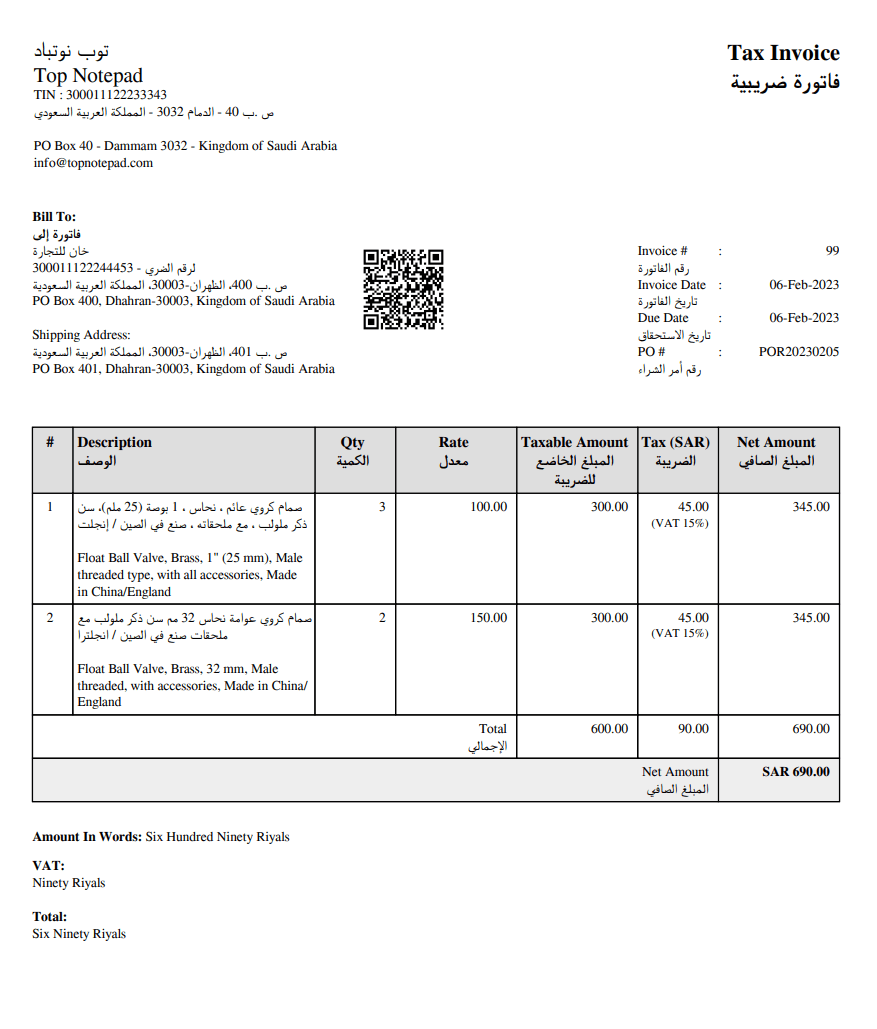
Send E-Invoices to ZATCA with TopNotepad
Looking for e-invoice sending software that connects your business to ZATCA? TopNotepad supports integration with Saudi Arabia’s Fatoora platform, helping businesses submit electronic invoices under Phase 2 requirements. Its workflow brings invoice creation and ZATCA integration together, making the transition to connected e-invoicing easier to understand and manage.
Sending invoices to ZATCA involves transmitting structured invoice data through the required integration. A PDF download or customer email alone does not complete this process. Your software must support the submission workflow applicable to the invoice type, alongside the required invoice information and technical controls.
ZATCA Phase 2: Invoice Clearance and Reporting
Phase 2 introduces integration between your electronic invoicing solution and ZATCA’s systems. The submission process depends on whether you issue standard tax invoices or simplified tax invoices. Understanding this distinction helps you choose suitable e-invoice sending software and organize your billing correctly.
Standard Tax Invoices: Clearance Before Customer Delivery
Standard tax invoices, typically used for business-to-business transactions, must be submitted to ZATCA for clearance before being shared with customers. ZATCA validates the submitted invoice against its requirements and returns the cleared invoice. Associated credit and debit notes also follow the applicable clearance process.
Simplified Tax Invoices: Reporting Within 24 Hours
Simplified tax invoices, typically used for business-to-consumer transactions, follow the reporting process. These invoices must be reported to ZATCA within 24 hours of generation. Their associated credit and debit notes are also subject to reporting requirements. This workflow differs from obtaining clearance before customer delivery.
Connect TopNotepad to the Fatoora Platform
TopNotepad’s ZATCA Phase 2 integration guide explains how to onboard its electronic invoice generation solution. The process includes obtaining an OTP through the Fatoora portal and entering it in your TopNotepad account. The software handles technical onboarding exchanges, including certificate requests and communication with the platform.
Before going live, confirm your business information, invoice types, and applicable configuration. Review the submission workflow and understand how to respond to validation issues. Successful integration requires both suitable software and correct setup for your business.
Support for Phase 1 and Phase 2 E-Invoicing
TopNotepad also provides Phase 1 invoice generation features , including QR codes, protected invoice numbering, restricted access, and locked issued invoices. Phase 2 builds on invoice generation by adding integration and the applicable clearance or reporting workflow.
ZATCA provider qualification should not be described as blanket software approval. Businesses remain responsible for meeting applicable requirements, including correct implementation and use of their invoicing solution.
Get Started with E-Invoice Sending Software
Explore TopNotepad for creating electronic invoices and connecting your invoicing workflow to ZATCA. Review the integration guide, assess your clearance and reporting needs, and confirm the setup required for your business. Start your free trial to explore a simpler approach to Saudi e-invoicing.